GB WhatsApp Themes: How to Download and Apply Custom Themes 2026
Make GB WhatsApp Look Exactly the Way You Want
One of the most loved and most searched features of GB WhatsApp is its extraordinary theme customization system. While the official WhatsApp offers exactly two visual options light mode and dark mode GB WhatsApp opens the door to a virtually unlimited world of visual personalization that lets you redesign every part of the app to match your personal style, mood, or aesthetic preference.
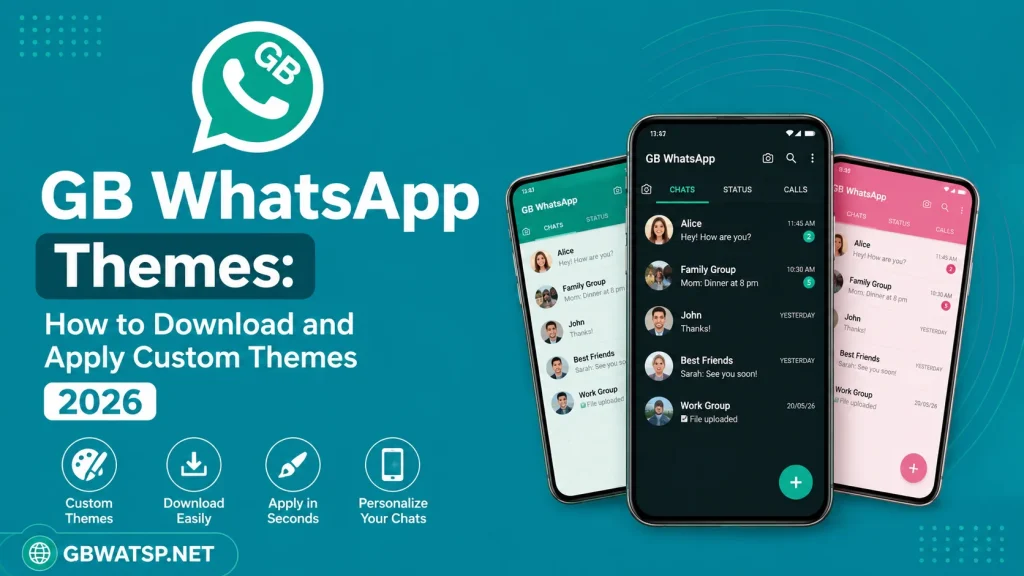
This complete guide covers everything you need to know about finding, downloading, applying, and creating custom themes in GB WhatsApp in 2026. The latest version with full theme support is available for free on GBWATSP.NET.
What Are GB WhatsApp Themes?
A GB WhatsApp theme is a complete visual package that redesigns the entire app interface simultaneously. When you apply a theme, it changes the color palette, background design, icon styles, chat bubble appearance, font colors, menu styling, and overall layout of the app in a single tap no individual settings adjustment required.
Themes are created by the global GB WhatsApp user community and shared through the built-in theme library accessible directly within the app. New themes are added regularly, keeping the library fresh and continuously expanding with new designs that cover every aesthetic preference from minimalist and professional to vibrant and playful.
How to Access the Theme Library in GB WhatsApp
Accessing the theme library in GB WhatsApp download is simple and requires no external downloads or additional apps. Open GB WhatsApp on your Android device. Tap the three-dot menu in the top right corner and select GB WhatsApp Settings. In the settings panel, look for the Themes option and tap on it. The built-in theme library will open, displaying hundreds of available themes organized by category, popularity, and newest additions. Browse through the library, preview any theme by tapping on it, and apply your preferred design with a single tap.
How to Apply a Theme
Applying a theme in GB WhatsApp takes literally one tap. Browse the theme library until you find a design you want to try. Tap on the theme thumbnail to open a full preview showing exactly how the app will look with that theme applied. If you like what you see, tap the Download or Apply button. The theme will download instantly and apply itself to the entire interface immediately without requiring a restart. If you change your mind later, simply return to the theme library and apply a different one at any time.
Customizing Beyond Themes: Fonts, Bubbles, and Wallpapers
The theme library is just the starting point. GB WhatsApp allows you to go significantly further with individual element customization that lets you fine-tune every visual aspect of the interface beyond what any single theme covers.
- Font Customization: Open GB WhatsApp Settings and navigate to Fonts to choose from more than 15 available typeface styles. The selected font applies across the entire interface instantly, covering chat names, message text, menu labels, and all other text elements throughout the app.
- Chat Bubble Colors: Go to GB WhatsApp Settings and find the Chat Bubble Color option to set independent colors for your sent and received message bubbles. This allows you to create a color scheme that complements your chosen theme or stands completely apart from it as a custom combination.
- Per-Chat Wallpapers: Open any individual conversation, tap the contact name at the top to access chat settings, and select Wallpaper to assign a unique background image to that specific conversation. Every chat can have its own distinct wallpaper chosen from your device gallery at full resolution without compression.
- AMOLED Dark Mode: For users with OLED or AMOLED screen devices, enable the true-black dark mode from GB WhatsApp Settings to apply a pure black background throughout the entire app, saving meaningful battery life while also providing a sleek and premium visual experience.
How to Create Your Own Custom Theme
For users who want a truly unique look that no pre-made theme provides, GB WhatsApp supports custom theme creation directly within the app. Navigate to GB WhatsApp Settings then Themes then Create Theme. From the theme creation interface you can individually set the color of every UI element backgrounds, headers, navigation bars, icon colors, text colors, bubble fills, and border styles building a theme from scratch that is entirely your own. Once complete, save your custom theme and apply it like any other. You can also share your creation with the GB WhatsApp community by uploading it to the theme library for other users to discover and enjoy.
Most Popular Theme Styles in 2026
The GB WhatsApp theme community in 2026 has several dominant aesthetic trends that have become particularly popular among users worldwide. Minimalist clean themes featuring white and grey palettes with subtle accent colors remain consistently downloaded for their professional and distraction-free appearance. Dark and neon themes combining deep black backgrounds with vibrant accent colors are especially popular among younger users and night-time messaging enthusiasts. Nature-inspired themes featuring soft greens, earth tones, and organic textures attract users looking for a calm and visually relaxing interface. Retro and vintage themes with classic typography and muted color palettes have seen a significant resurgence in popularity throughout 2025 and into 2026.
Final Thoughts
GB WhatsApp’s theme system is one of the most comprehensive and enjoyable visual customization experiences available in any messaging application. Whether you prefer applying a ready-made community theme, fine-tuning individual elements to your exact preference, or creating something completely original from scratch, the tools are all there and completely free. The latest GB WhatsApp version with full theme support is always available on GBWATSP.NET.